
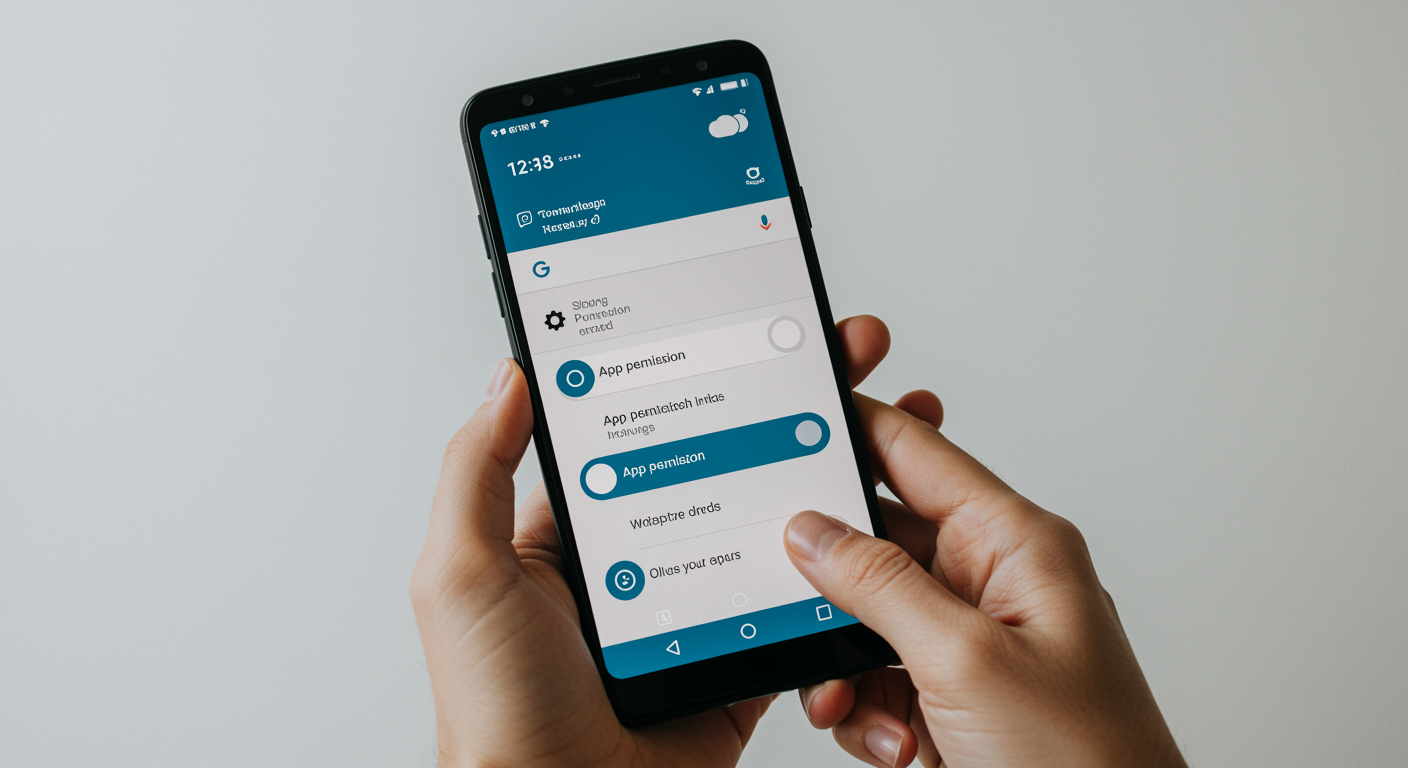
Managing betting app permissions on Android devices in India presents unique challenges that combine privacy concerns, legal compliance, and technical security considerations. With the complex regulatory landscape surrounding online gambling in India, users must navigate not only the typical risks associated with app permissions but also the additional complications arising from varying state laws and enforcement policies.
Understanding how to properly configure app permissions becomes crucial for Indian users who engage with betting applications, as these apps often request extensive access to personal data, location information, and device features. The importance of managing these permissions extends beyond mere privacy protection to encompass legal safety and compliance with local regulations that can vary significantly across different states in India.
Understanding Betting App Permissions on Android
Android app permissions form the foundation of mobile security, particularly for sensitive applications like betting platforms that handle financial transactions and personal data. In the context of Indian betting apps, these permissions carry additional weight due to the legal complexities surrounding online gambling in the country.
The permission system serves as a gateway between apps and your device’s resources, determining what information and features each application can access. For betting apps operating in India’s challenging regulatory environment, understanding these permissions becomes essential for both legal compliance and personal security.
Each permission type presents specific risks and benefits when granted to betting applications, requiring careful consideration of the trade-offs between functionality and privacy protection.
| Permission Type | Typical Use by Betting Apps | Associated Risks | Recommended Setting |
|---|---|---|---|
| Location Access | Verify user location for legal compliance | Privacy invasion, location tracking | Allow only while using app |
| Storage Access | Store user data, cache betting history | Access to personal files, data theft | Restrict to app-specific folders |
| Camera Access | Document verification, KYC compliance | Unauthorized photo capture, surveillance | Ask every time |
| Phone Access | Two-factor authentication, SMS verification | Call log access, contact list theft | Deny unless essential |
| Microphone Access | Voice commands, customer support calls | Eavesdropping, conversation recording | Ask every time |
| Contacts Access | Referral programs, social features | Contact data harvesting, spam | Deny |
| Notification Access | Betting alerts, promotional messages | Excessive notifications, addiction triggers | Allow with restrictions |
How Android Permissions Work
Android’s runtime permission system operates on a principle of informed consent, where apps must request specific permissions when they need to access sensitive device features or data. This system has evolved significantly since Android 6.0, introducing granular controls that allow users to grant or deny individual permissions rather than accepting all permissions during installation.
The permission model includes different levels of access, from basic permissions that are automatically granted to dangerous permissions that require explicit user approval. Modern Android versions also include temporary permissions and permission auto-reset features that automatically revoke permissions from apps that haven’t been used for extended periods.
Common Permissions Requested by Betting Apps
Betting applications typically request a comprehensive set of permissions to support their complex functionality and regulatory requirements. Understanding which permissions are essential versus those that may represent privacy overreach helps users make informed decisions about their digital security.
- Location services for geo-blocking and compliance with state-specific gambling laws in India
- Storage access for caching user preferences, betting history, and offline functionality
- Camera and microphone permissions for identity verification and customer support features
- Phone and SMS access for two-factor authentication and account security measures
- Contact access for referral programs and social betting features
- Device information access for fraud prevention and device fingerprinting
Legal Landscape for Betting Apps in India
The legal framework governing betting apps in India creates a complex environment where app permissions take on additional significance beyond typical privacy concerns. State-level variations in gambling laws mean that betting apps must often request extensive permissions to ensure compliance with local regulations, while users face uncertainty about the legal implications of granting such access.
Recent legal developments have introduced new compliance requirements that directly impact how betting apps handle user data and device permissions. The intersection of privacy laws, gambling regulations, and digital rights creates a unique challenge for both app developers and users in the Indian market.
Understanding this legal landscape becomes crucial when deciding which permissions to grant, as the regulatory environment can change rapidly and affect the legitimacy of certain betting applications operating in different states.
| State | Regulation Status | Enforcement Notes | Online Gambling Policy |
|---|---|---|---|
| Goa | Regulated and Licensed | Active licensing for offshore casinos | Limited online permissions |
| Sikkim | Regulated Online Gaming | Licensed online gambling operators | Comprehensive online framework |
| Tamil Nadu | Prohibited | Strict enforcement, app blocking | Complete online gambling ban |
| Andhra Pradesh | Prohibited | Regular crackdowns, heavy penalties | Banned all forms of online betting |
| Karnataka | Partially Restricted | Skill-based games permitted | Distinguishes skill vs. chance |
| Maharashtra | Gray Area | Inconsistent enforcement | Unclear online regulations |
How Legal Ambiguity Impacts Your App Permissions
The uncertain legal status of online betting in many Indian states directly influences how betting apps request and utilize device permissions. Apps operating in legally ambiguous territories often request broader permissions as a precautionary measure, seeking to collect data that might be necessary for compliance if regulations change or become more clearly defined.
This legal uncertainty also affects user privacy policies and data handling practices, as betting apps must balance compliance requirements with privacy protection. Users should be particularly cautious about granting extensive permissions to apps operating in legal gray areas, as the regulatory landscape could shift rapidly and impact how their personal data is used or shared with authorities.
Step-by-Step: How to Manage Permissions for Betting Apps
Effectively managing betting app permissions on Android requires a systematic approach that balances functionality with security and privacy protection. The process involves both initial setup decisions and ongoing monitoring to ensure that apps don’t exceed their intended access levels.
Modern Android versions provide sophisticated tools for permission management, but navigating these options requires understanding the implications of each setting. The following comprehensive approach covers both Android 12+ features and compatibility with older Android versions that many users still operate.
Regular permission audits become particularly important for betting apps, as these applications often update their permission requirements and may request additional access through app updates.
- Navigate to Settings > Apps > App permissions to access the centralized permission management interface
- Select the specific betting app from your installed applications list to view its current permission status
- Review each granted permission and assess whether it’s essential for the app’s core betting functionality
- Modify high-risk permissions like location access to “Allow only while using app” instead of “Allow all the time”
- Enable permission usage tracking in Android 12+ to monitor when and how often apps access sensitive data
- Set up permission auto-reset for betting apps you use infrequently to automatically revoke unused permissions
- Configure notification controls to limit promotional messages while maintaining essential account security alerts
Best Practices for Permission Management
Developing a consistent approach to permission management helps protect your privacy while maintaining the functionality you need from betting applications. These practices should be applied not just during initial app installation but as part of regular device maintenance.
The key is to adopt a principle of minimal necessary access, where apps receive only the permissions required for their core functionality. Additional permissions can be granted temporarily when specific features are needed, then revoked afterward.
- Grant permissions individually rather than accepting all permissions at once during app installation
- Use “Ask every time” settings for sensitive permissions like camera and microphone access
- Regularly review and audit app permissions, especially after app updates that may introduce new permission requests
- Enable Android’s permission usage dashboard to track which apps are accessing your data most frequently
- Remove or restrict permissions for betting apps immediately after uninstalling them to prevent residual data access
How to Use Android Permission Manager Effectively
Android’s built-in Permission Manager serves as your central hub for monitoring and controlling app access across your device. Understanding how to leverage this tool effectively can significantly improve your privacy and security posture when using betting apps.
The Permission Manager provides both app-centric and permission-centric views, allowing you to see which apps have specific permissions or what permissions individual apps possess. Regular use of these monitoring tools helps identify potentially problematic apps that may be requesting excessive permissions or using permissions more frequently than expected.
Security and Privacy Risks with Betting Apps
Betting applications present unique security challenges due to their handling of financial information, personal identification data, and behavioral patterns related to gambling activities. The combination of these sensitive data types with often-extensive permission requests creates multiple attack vectors for malicious actors.
Privacy risks extend beyond immediate financial concerns to include long-term data profiling, location tracking, and potential sharing of gambling behavior with third parties. Understanding these risks helps users make informed decisions about which betting apps to trust and what permissions to grant.
The regulatory complexity in India adds another layer of risk, as users may inadvertently violate local laws by granting certain permissions to betting apps operating in jurisdictions where such activities are prohibited.
| Risk | Description | Permission Involved | How to Mitigate |
|---|---|---|---|
| Financial Data Theft | Unauthorized access to payment information and transaction history | Storage, Phone Access | Use app-specific payment methods, limit storage access |
| Location Tracking | Continuous monitoring of user movements and gambling locations | Location Services | Restrict to “while using app” only |
| Identity Fraud | Misuse of KYC documents and personal identification data | Camera, Storage | Use “ask every time” for camera, review stored documents |
| Social Engineering | Using contact lists and personal data for targeted scams | Contacts, Phone | Deny contact access, limit phone permissions |
| Behavioral Profiling | Creating detailed gambling behavior profiles for manipulation | All Data Access | Regular permission audits, data deletion requests |
How to Identify and Avoid Malicious Betting Apps
Recognizing potentially dangerous betting applications requires attention to both technical indicators and behavioral red flags that suggest an app may be designed for data harvesting or fraudulent purposes. Legitimate betting apps typically follow established patterns in their permission requests and user interface design.
- Excessive permission requests that seem unrelated to betting functionality, such as access to call logs or SMS history
- Apps distributed outside official app stores or requiring users to enable “unknown sources” for installation
- Poor user interface design, spelling errors, or inconsistent branding that suggests hastily developed malicious software
- Requests for unnecessary sensitive permissions like microphone access for apps that don’t offer voice features
- Lack of clear privacy policies or terms of service that explain how user data will be used and protected
Blocking or Restricting Betting Apps on Android
Android provides multiple mechanisms for restricting or completely blocking access to betting applications, ranging from built-in parental controls to third-party blocking solutions. These tools become particularly important in India’s complex legal environment, where users may need to restrict access based on location or family preferences.
Effective blocking strategies often combine multiple approaches, using both system-level restrictions and app-specific controls to create comprehensive protection against unwanted gambling app access. The goal is to create barriers that can prevent impulsive app installation while allowing legitimate access when appropriate.
Self-exclusion tools have become increasingly sophisticated, offering users ways to temporarily or permanently restrict their own access to betting applications as part of responsible gambling practices.
| Blocking Technique | How It Works | What It Blocks | Ease of Use | Suited For |
|---|---|---|---|---|
| Google Family Link | Parental control with app approval required | App installation and usage | Easy setup | Parents protecting children |
| Android App Pinning | Restricts access to specific apps only | All other apps and settings | Moderate complexity | Temporary restrictions |
| Third-party Blockers | DNS or VPN-based content filtering | Website and app network access | Complex initial setup | Comprehensive protection |
| Router-level Blocking | Network-wide domain and IP filtering | All gambling sites and services | Requires technical knowledge | Whole household protection |
Removing/Reversing App Permissions for Unused Apps
Android’s automatic permission management features help maintain privacy by revoking permissions from apps that haven’t been used for extended periods. However, manual oversight of these processes ensures that betting apps don’t retain unnecessary access to sensitive data after periods of inactivity.
The process of completely removing app permissions involves both revoking active permissions and clearing any stored data that the app may have cached on your device. This becomes particularly important for betting apps that may have stored financial information or personal identification documents during the registration process.
Parental Controls for Betting App Blocking
Google Family Link provides comprehensive tools for parents to prevent children from accessing gambling applications, but effective implementation requires understanding both the technical features and the behavioral patterns that children might use to circumvent restrictions.
- Google Family Link’s app approval system that requires parental permission before installing any new applications
- Content filtering controls that block gambling-related websites and prevent side-loading of betting apps
- Screen time restrictions that can limit access to entertainment categories where gambling apps are often classified
- SafeSearch enforcement across all Google services to prevent discovery of gambling-related content
FAQs and Troubleshooting Common Permission Issues
Permission-related problems with betting apps often arise from conflicts between Android security updates, app updates, and changing regulatory requirements. Understanding common troubleshooting approaches helps users resolve issues without compromising their privacy or security settings.
These problems frequently manifest as apps requesting permissions they previously didn’t need, permissions being automatically revoked by system updates, or apps failing to function properly after permission changes.
- Clear the app’s cache and data if permission changes cause functionality problems, then reconfigure permissions as needed
- Check for Android system updates that might have changed permission management behavior or introduced new security features
- Verify that permission issues aren’t caused by third-party security apps or VPN services that might interfere with app functionality
- Use Android’s permission usage history to identify which specific permissions are causing problems with app functionality
- Contact the betting app’s customer support for guidance on minimum required permissions if the app fails to work with restricted settings
When to Contact Support or Remove an App
Determining whether to seek technical support or completely remove a problematic betting app depends on the severity of permission issues and the app’s response to troubleshooting efforts. Apps that consistently request excessive permissions or fail to function with reasonable privacy settings may indicate fundamental security or design problems.
Complete app removal becomes necessary when troubleshooting reveals that an app requires permissions that pose unacceptable privacy or security risks, or when the app fails to comply with Android’s permission model. Before removal, ensure that any stored financial information or account data is properly backed up or transferred according to the app’s data export procedures.